Spanpaper
Create wallpapers that span perfectly across multiple monitors with different resolutions, scaling settings, and physical sizes.
Example on my Setup:


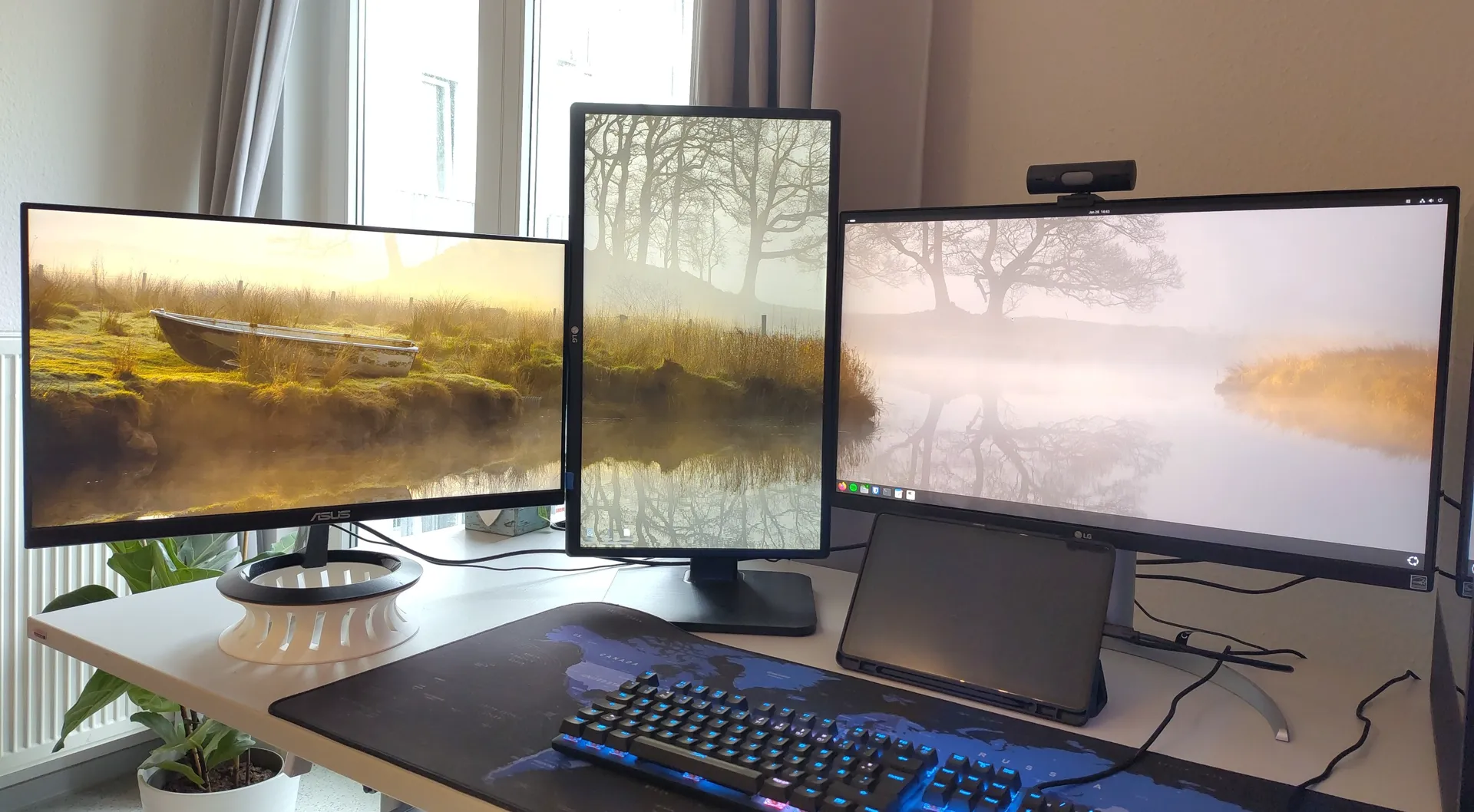
Configuration Guide
Configure Monitors from LEFT to RIGHT
- Resolution
- Your monitor's resolution. Choose a preset or enter pixels manually.
- Scaling Factor
- The scaling factor you set in system settings (e.g., 100% = 1.0, 150% = 1.5).
- Size (inches)
- The physical size of your monitor in inches (diagonal measurement).
- Aspect Width and Height
- The aspect ratio of your monitor (e.g., 16 and 9 for a 16:9 display).
- Bottom Offset
- The physical offset to the lowest monitor in inches. Set the lowest monitor to 0, and others to how much higher their bottoms are.
- Gap after monitor
- The size of the gap between this monitor and the next one in inches.
- xrandr Output (optional)
Use this field only if your monitors are not bottom-aligned in your system settings. See the images below to determine if you need it.
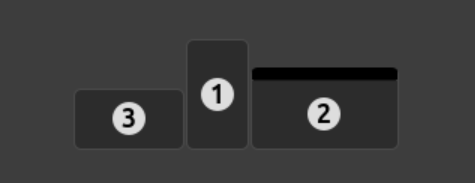
Bottom-aligned: You don't need xrandr output
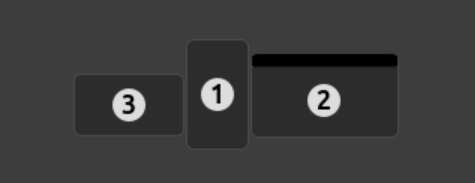
Not bottom-aligned: You need xrandr output
If you need it: Open your terminal, run
xrandr, and paste the entire output into the field below all monitors. The system will automatically calculate the pixel offsets needed to align your wallpaper correctly.
Applying the Wallpaper
KDE Plasma Setup
A separate wallpaper image is generated for each monitor. To apply:
- Right-click your desktop and select Configure Desktop and Wallpaper
- Select the monitor you want to configure
- Set the wallpaper to the corresponding generated image (monitor_1.png, monitor_2.png, etc.)
- Set Positioning to Scaled (Keep Proportions)
- Repeat for each monitor
About
Everything happens in your browser, your images never leave your device. The setups are saved locally in your browser.
If you are intrested in how this works, check out the github link down below. Its a python script that does the exact same the Linux X11 varaints do. I plan to add the windows version there as well sometime..., windows handles scaling a bit different so the python script wont work on windows yet.
View on GitHubConfigure Your Setup
Monitor 1
Monitor 2
xrandr command here.